It’s been a struggle but finally after countless hours here it is, the next release of my Envy Code R monospaced (fixed-width) font designed for programmers.
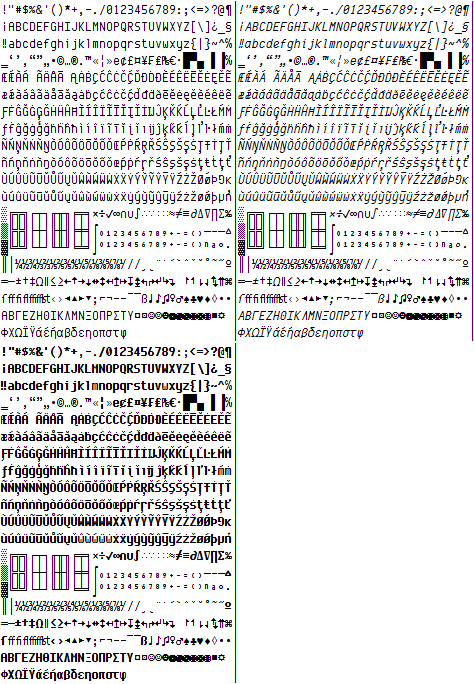
Many glyphs have been redrawn since preview 6 including braces, lower-case y, 6 & 9, ampersand, dollar-sign, hash etc. One pixel was removed from the vertical height to make the box drawing balanced and allow more lines per screen.
These new box-drawing, shading and symbols make Envy Code R a great font for the command-prompt (Consolas and Lucida Console lack box-drawing completely). To use them you will need to run the included registry file and reboot to operate correctly from a command prompt’s properties dialog.
This typeface contains over 550 glyphs providing full complements for DOS, Windows and Mac versions of the US, Western, Central Europe, Turkish, Baltic, Icelandic and Nordic code-pages. This hits several Unicode ranges including Basic Latin, Latin-1 Supplement, Latin Extended A & B, Box Drawing, Block Elements, Letter-like Symbols, Number Forms, Arrows... although not all of these ranges are complete yet.
Additional VS italics hack
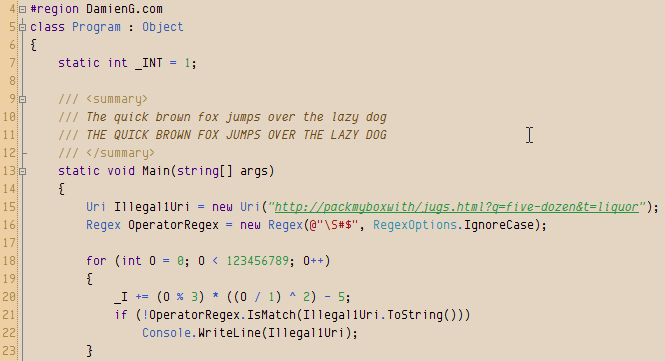
As well as regular and bold variants this version includes a full italic version too and the obligatory italic-as-bold hack to get italic syntax highlighting in Visual Studio as shown here in my favourite 10 point with my Humane theme.
And for those of you that like the font a little larger it now looks good and the odd sizing issues are all gone!

Okay, enough with the teasing, you’ve waited far too long...
Download
- Envy Code R Preview 7.2 (TrueType) (169 KB)
0 responses